Showing posts with label texturing. Show all posts

Tuesday, 12 January 2016

Maya Tutorial | Intro to Texturing | Faked Rim Lights

Grey Version

Colour version

In this tutorial our job was to make the character light up without using any sort of external lighting i.e ambient, point or spot. We instead did this through faked rim lighting which is where we get the character to have natural lighting on him instead.

Maya Tutorial | Intro to Texturing | X-Ray Shader


For this tutorial we had to convert a normal modelled set of teeth that hadn't had any shaders applied to it, to a finished piece that looks like someone's mouth has actually been x-rayed. To do this we applied a ramp, then changed the colour. After this we changed the transparency of the teeth and added an ambient light to ensure that the teeth glowed much like an x-ray. To ensure that the teeth x-ray looked legit we then bumped up the glow intensity to make it pop.

Maya Tutorial | Intro to Texturing | Double-sided shader


Left side of the animated page


Right side of the animated page
In this tutorial we learnt how to apply a shader onto a double-sided object as it can be seen in the images above. I really like this method and feel that the results are certainly pleasing to look at, they are also easy to set up.

Thursday, 10 December 2015

Part Textured Scene | Hibernaculumis | Work In Progress | Maya

I've started the texturing process and plotting in some basic window shapes. I'm not sure if they seem too clustered yet but I will add them to the other buildings first in this manor before I make a better decision.

Monday, 30 November 2015

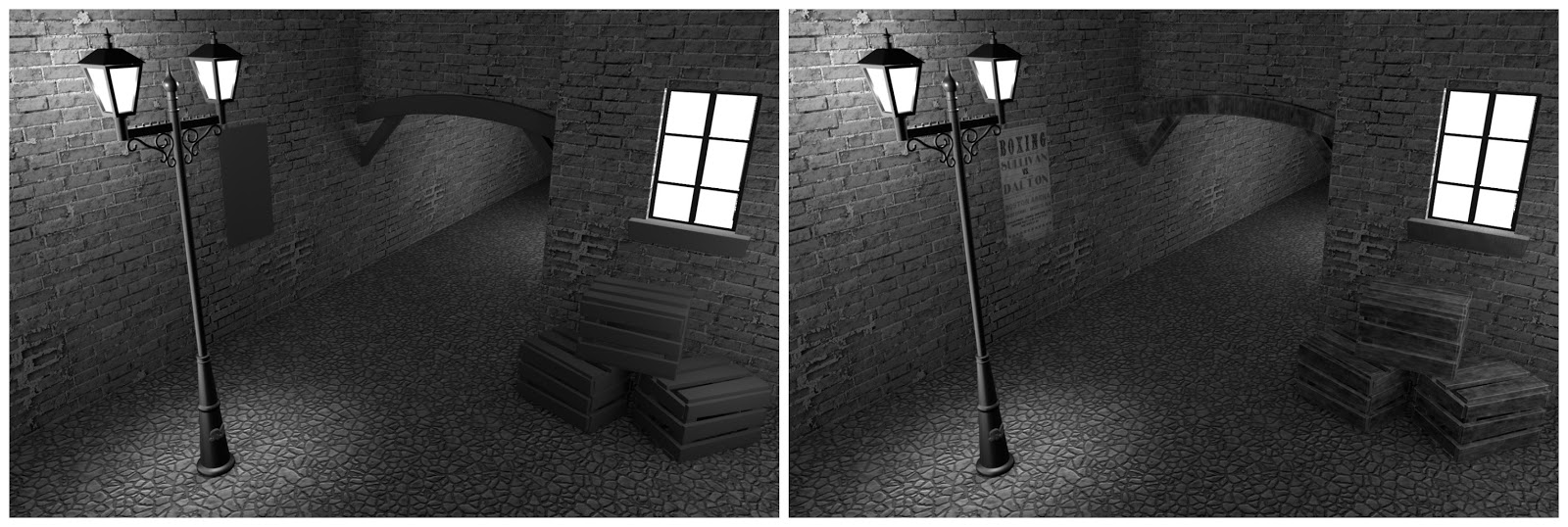
Texturing | Alleyway Scene | Tutorial | Maya

Left - walls and floor complete
Right - wood and poster complete
With the texturing completed (part 4 complete) I thought now would be a good time to post an update before I finish the bump, spec and final composite.